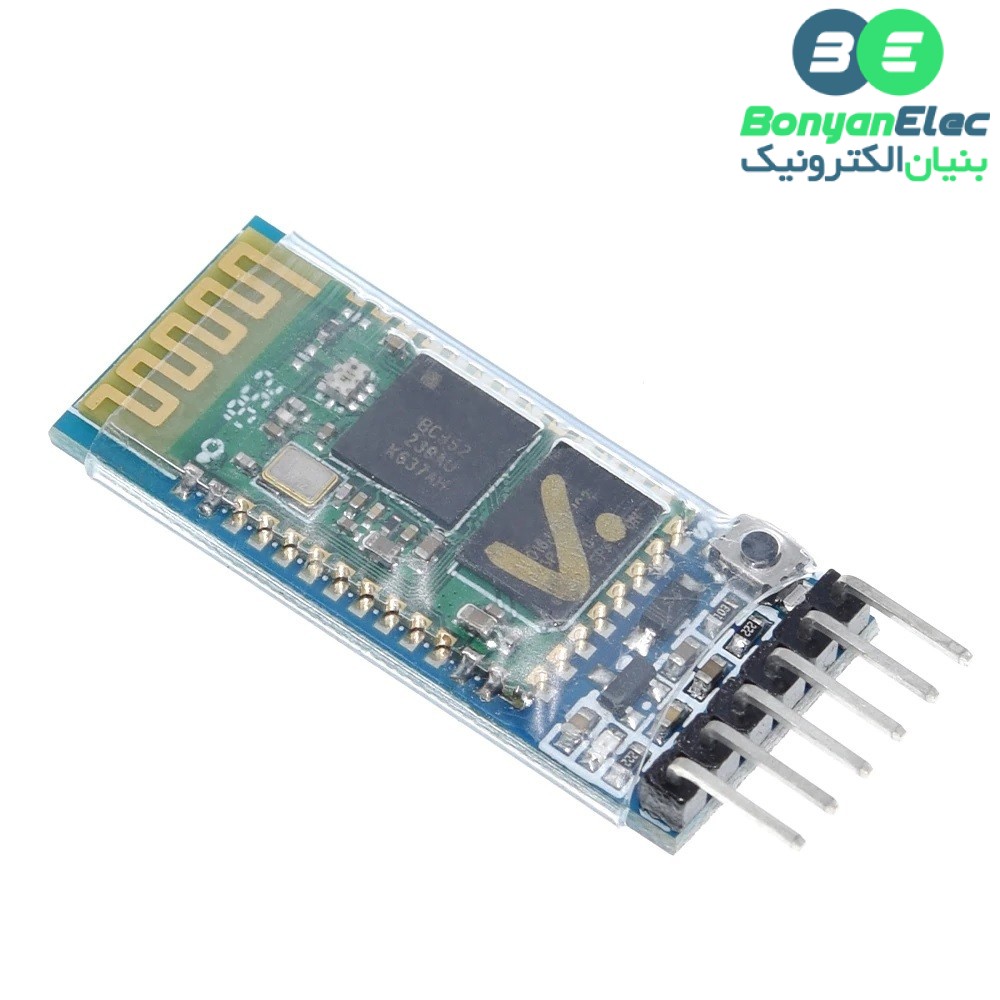
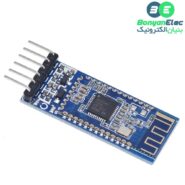
نسخهای که در این کالا ارائه میشود دارای برد کمکی است. این برد کمکی شامل رگولاتور ولتاژ داخلی (معمولاً AMS1117) است که اجازه میدهد ماژول HC05 مستقیماً به ولتاژ 5 ولت متصل شود، حتی با وجود اینکه چیپ اصلی فقط با 3.3 ولت کار میکند. همچنین، برد کمکی دارای مدارهای مقاومتی برای سطوح منطقی است که امکان اتصال ایمن به پینهای میکروکنترلر با خروجی 5 ولت را فراهم میسازد. وجود این برد نهتنها از آسیب به ماژول جلوگیری میکند بلکه اتصال آن را به انواع بردهای توسعه سادهتر و سریعتر میسازد.
مشخصات:
- ولتاژ کاری: 3.3 تا 5 ولت DC
- جریان مصرفی در حالت فعال: کمتر از 50 میلیآمپر
- جریان مصرفی در حالت آماده به کار: کمتر از 2.5 میلیآمپر
- جریان مصرفی در حالت خواب: کمتر از 1 میلیآمپر
- فرکانس کاری: 2.4 گیگاهرتز (باند ISM)
- مدولاسیون: GFSK (Gaussian Frequency Shift Keying)
- توان خروجی: تا 4 dBm (کلاس 2)
- حساسیت گیرنده: حدود -80 dBm
- برد ارتباطی: تا 10 متر در فضای باز
- رابط ارتباطی: UART (سطح TTL)
- نرخهای انتقال داده پشتیبانیشده: 1200، 2400، 4800، 9600، 19200، 38400، 57600، 115200، 230400، 460800 بیت بر ثانیه
- نرخ پیشفرض در حالت داده: 9600 بیت بر ثانیه
- نرخ پیشفرض در حالت AT: 38400 بیت بر ثانیه
- پروفایلهای پشتیبانیشده: SPP، HID و سایر پروفایلهای استاندارد
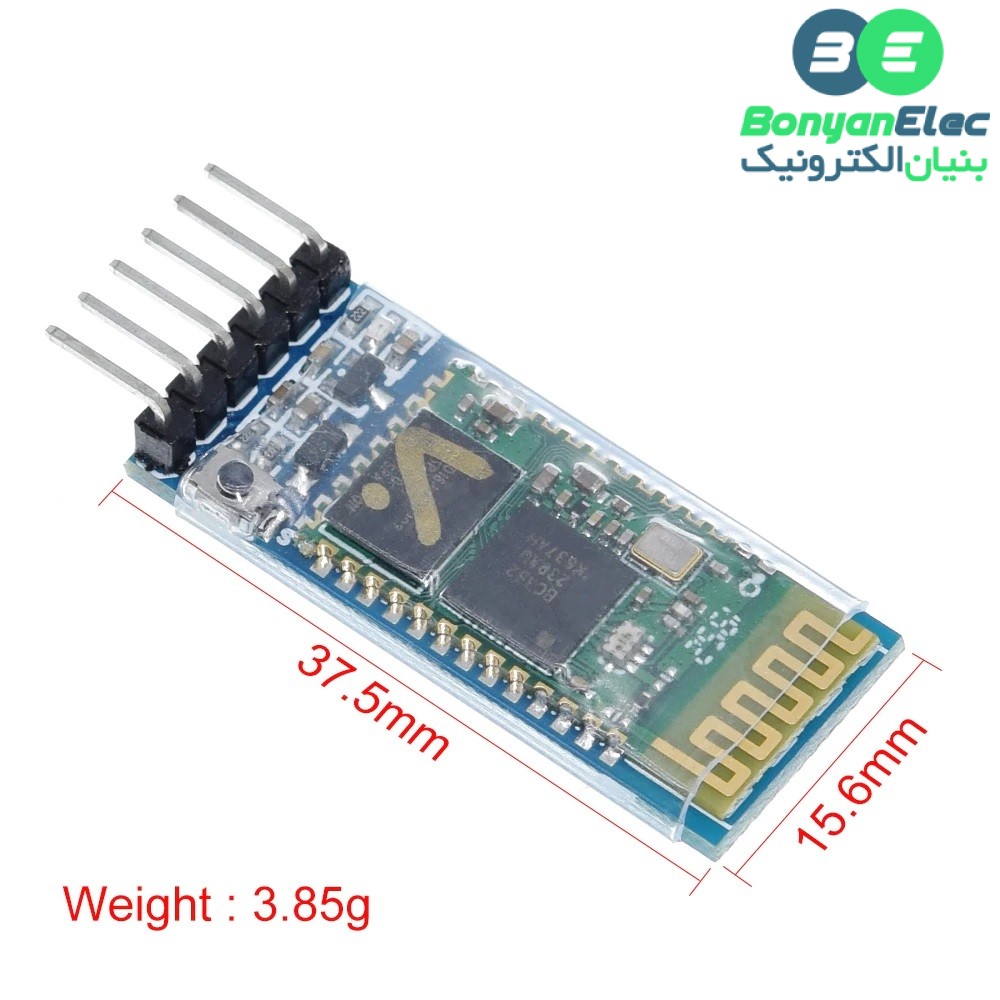
- ابعاد ماژول: 37.5 × 15.6 میلیمتر
- وزن: حدود 3.85 گرم
نکته:
- برای ورود به حالت AT Command، پین EN را به سطح High (VCC) متصل کنید.
- بادریت پیشفرض در حالت AT: ۳۸۴۰۰
- رمز عبور پیشفرض: ۱۲۳۴ یا ۰۰۰۰
- برای تغییر نام یا رمز عبور، ابتدا وارد حالت AT شوید و از دستورات AT+NAME و AT+PSWD استفاده کنید.
- در صورت نیاز به تغییر بادریت، از دستور AT+UART استفاده کنید.
نحوه استفاده:
برای تغییر در تنظیمات و همچنین دریافت اطلاعات خود ماژول می بایست وارد حالت AT COMMAND شوید. برای این کار می توانید مراحل زیر را دنبال کنید.
1- پایه KEY-1 (پایه 34) را به 3.3 ولت وصل کنید.
2- پایه های سریال RX و TX خود را بصورت ضربدری به برد متصل کنید. (RX به TX )
3- تغذیه مدار را متصل کنید. توجه داشته باشید که در صورتی که این مراحل را به درتس انجام داده باشید، چشمک زن (پایه 31) بصورت یک ثانیه ای چشمک خواهد زد، در حالت عادی بسیار تندتر این چشمک زدن انجام می شود.
4- پایه KEY-1 را قطع کنید.
5- در قسمت تنظیمات سریال ترمینال خود، بودریت بر روی 38400 تنظیم شود. نکته بسیار مهم فعال بودن دو گزینه CF و LR در تنظیمات سریال می باشد.
6- در صورت درست بودن تمامی مراحل، با ارسال دستور AT پاسخ OK را دریافت خواهید کرد.
توجه:
- از مبدل مناسب استفاده کنید
- پایه EN را به مثبت 5 ولت وصل کنید
- در بیشتر مواقع، اشکالات پورت سریال باعث می شود که دیتایی ارسال نشود، پایه هیا RX و TX را اتصال کوتاه کنید، در صورت درست بودن، هر کاراکتری که ارسال می کنید می بایست باز گردد
- برای راحتی یکبار با ارسال دستور AT+ORGL ماژول را به تنظیمات کارخانه بازگردانده، سپس با ارسال دستور AT+ROLE=0 در حالت SLAVE قرار دهید
- امکان دارد در صورتی که قبلا از این ماژول استفاد کرده باشید، با ذخیره شدن اطلاعات قبلی نتوانید مجدد به ماژول کانکت شوید، می توانید از طریق دستور AT+NAME=ECA نام دلخواه خود را (جایگزین کلمه ECA ) برای ماژول قرار دهید.
introduction:
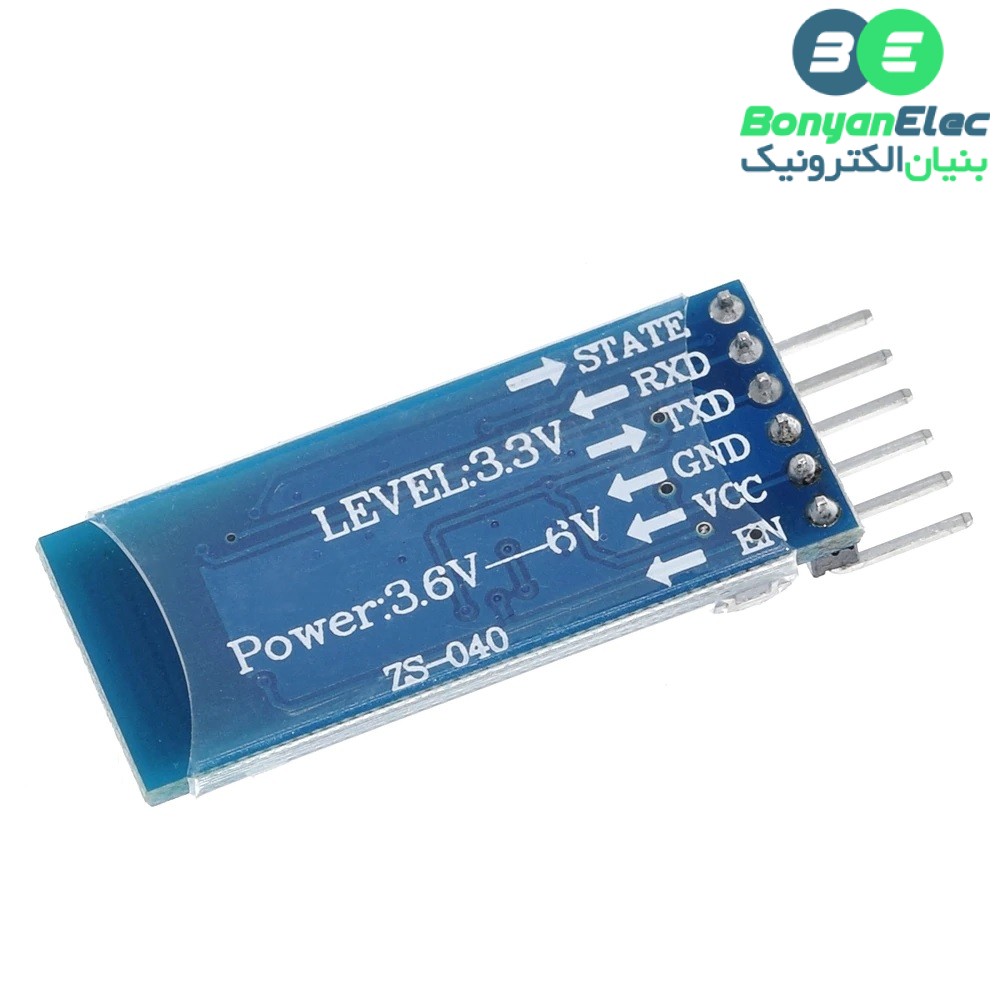
1, the core module HC-05 from the module, leads to the interface includes VCC, GND, TXD, RXD, KEY pin, Bluetooth connection status pinout (STATE), not connected to the output low, output high after the connection
2, led indication Bluetooth connection status, flash means no Bluetooth connectivity, slow flash that enter the AT mode, double flash indicates Bluetooth is connected and turned on port
3, the floor set up anti-reverse diode with 3.3V LDO, input voltage 3.6 ~ 6V, When unpaired current of about 30mA, paired about 10mA, the input voltage must not exceed 7V!
4, the interface level 3.3V, can be directly connected to various SCM (51, AVR, PIC, ARM, MSP430, etc.), 5V microcontroller can also be connected directly, without MAX232 MAX232 can not go through!
5, clearing the effective distance of 10 meters ( power rating of CLASS 2), more than 10 meters are possible, but do not do this to ensure the quality of the connection distance of
6, after the pair when full-duplex serial port to use, without having to know any Bluetooth protocol, supports 8 data bits, 1 stop bit , you can set the parity communication format, which is the most commonly used communication format does not support other formats.
7, can be pulled 34 feet into the AT command mode to set parameters and query information
8, compact (3.57cm * 1.52cm), factory chip production to ensure the placement quality. And sets of transparent heat shrink tubing, dust and beautiful, and there is a certain degree of anti-static capabilities.
9, can be switched via AT commands as master or slave mode, can be connected via AT command specifies the device
10, supported from the standard baud rates between 4800bps ~ 1382400bps
Specification:
- Bluetooth version: 2.0 + EDR (Enhanced Data Rate)
- Frequency: 2.4 GHz ISM band
- Modulation: GFSK (Gaussian Frequency Shift Keying)
- Transmit power: Class 2 (up to 4 dBm)
- Sensitivity: -80 dBm typical
- Range: approximately 10 meters (or 33 feet) in open air
- Profiles supported: SPP (Serial Port Profile), HID (Human Interface Device) and others
- Operating voltage: 3.3V to 5V DC
- Operating current: less than 50mA
- Standby current: less than 2.5mA
- Sleep current: less than 1mA
- Interface: UART (Universal Asynchronous Receiver/Transmitter)
- Baud rates: 1200, 2400, 4800, 9600, 19200, 38400, 57600, 115200, 230400, and 460800
- Operating temperature: -20°C to 75°C (-4°F to 167°F)
:Application
After pairing only as a fixed baud rate of the serial port can be used in the same, so long as it is “fixed baud, 8 data bits, no parity” communication format serial devices can be directly replace the original wired serial port without the need to modify the program. Such as data acquisition, intelligent car, serial printers, and other outdoor dot matrix screen control. Paired with a computer: fit between computers via Bluetooth serial communication with the device, use the same serial port paired with your phone: for between your phone via Bluetooth serial communication with the device, use the same serial port paired with a Bluetooth host: for two devices directly via Bluetooth serial communication, such as between the microcontroller and microcontroller serial cable with microchips, etc., use the same serial port
:HC-05 Default Settings
Default Bluetooth Name: “HC-05”
Default Password: 1234 or 0000
Default Communication: Slave
Default Mode: Data Mode
Data Mode Baud Rate: 9600, 8, N, 1
Command Mode Baud Rate: 38400, 8, N, 1
Default firmware: LINVOR












دیدگاهها0
هیچ دیدگاهی برای این محصول نوشته نشده است.